
FloatTrans
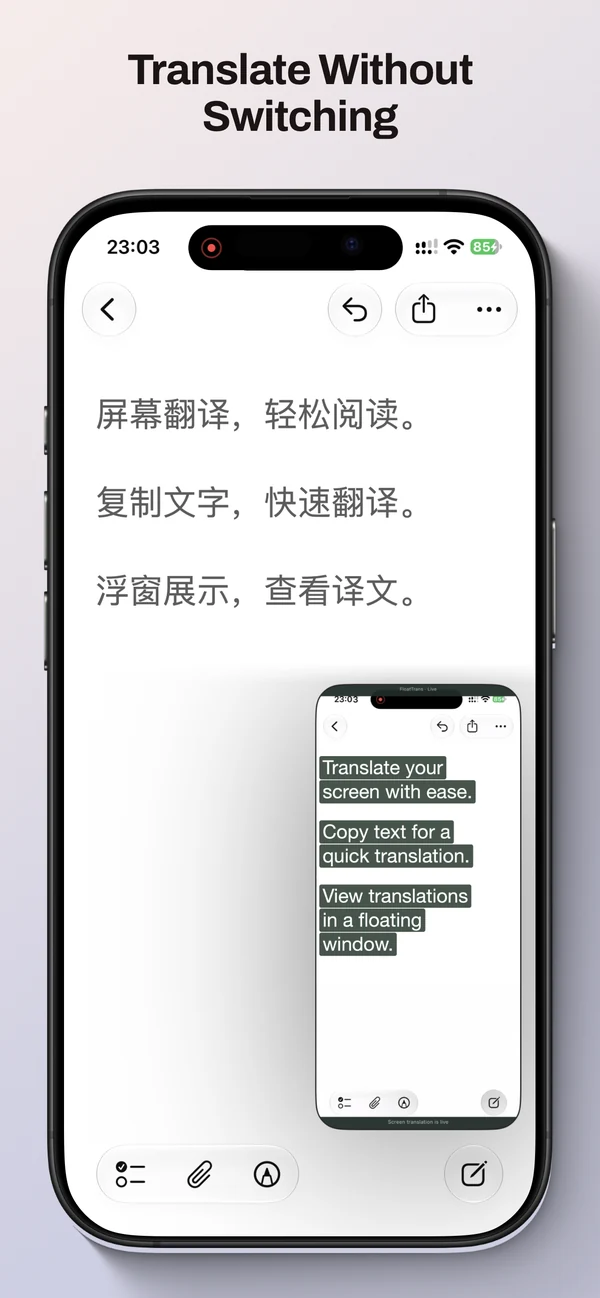
Translate without switching apps.
Coming soon
Screenshots
Swipe to see more
Overview
FloatTrans — Translate without switching apps.
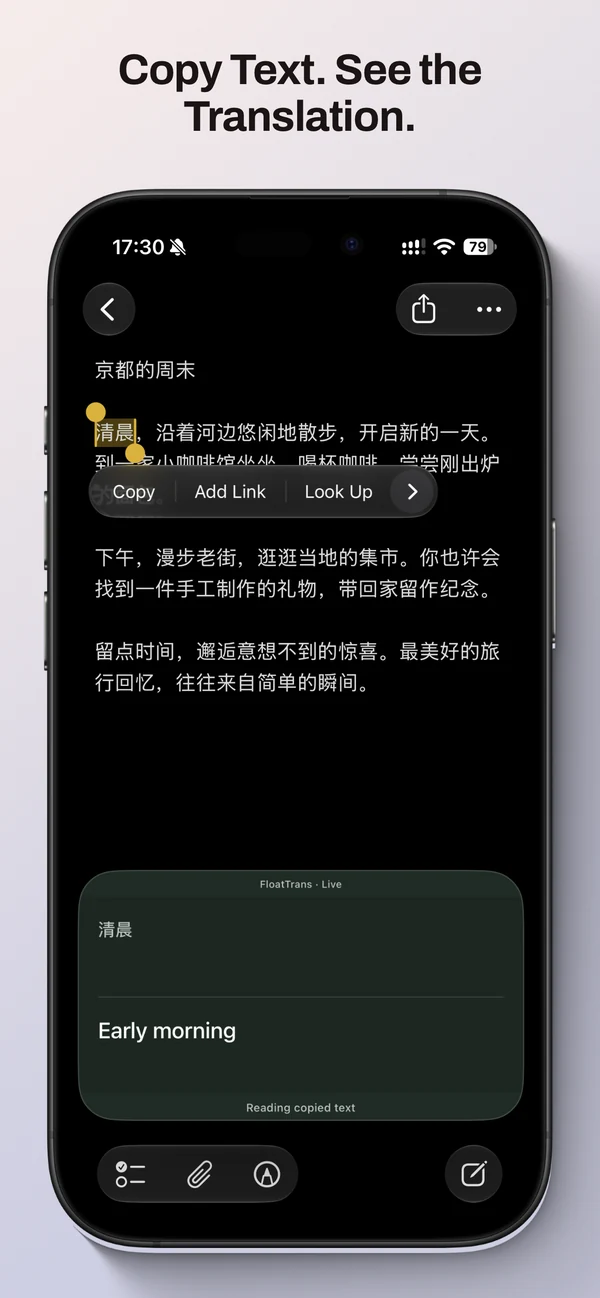
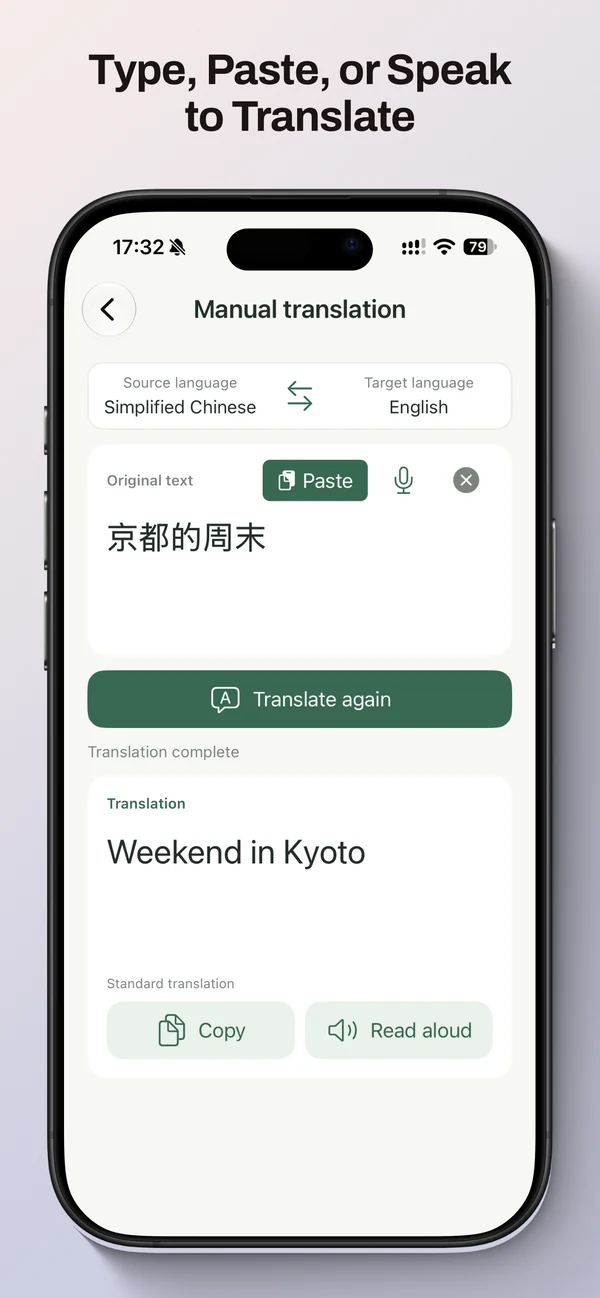
Keep browsing a webpage or reading an article while translations appear in a floating window. FloatTrans supports screen translation, copied text and manual text entry on iPhone with iOS 18 or later. Language resources may need downloading; availability depends on your device, system version, supported languages and permissions.
Who it's for
People reading foreign-language webpages, articles and other text while staying in the app they are using.
Key features
- Screen translation recognizes text in the screen you choose to share, with an adjustable recognition area.
- Copy translation shows copied text in a floating window, with bilingual comparison and scrolling for longer passages, when iOS permits clipboard access.
- Type or paste text for manual translation; copy the result when you need it.
- Adjust text size, colors and layout by mode, and save your preferred styles as presets.
- No translation history: ending a session clears temporary session content while retaining preferences and style presets.